Introducing Vectors

Your data has been sitting in files your AI can't read. This week, that changes.
What's the problem with regular search?
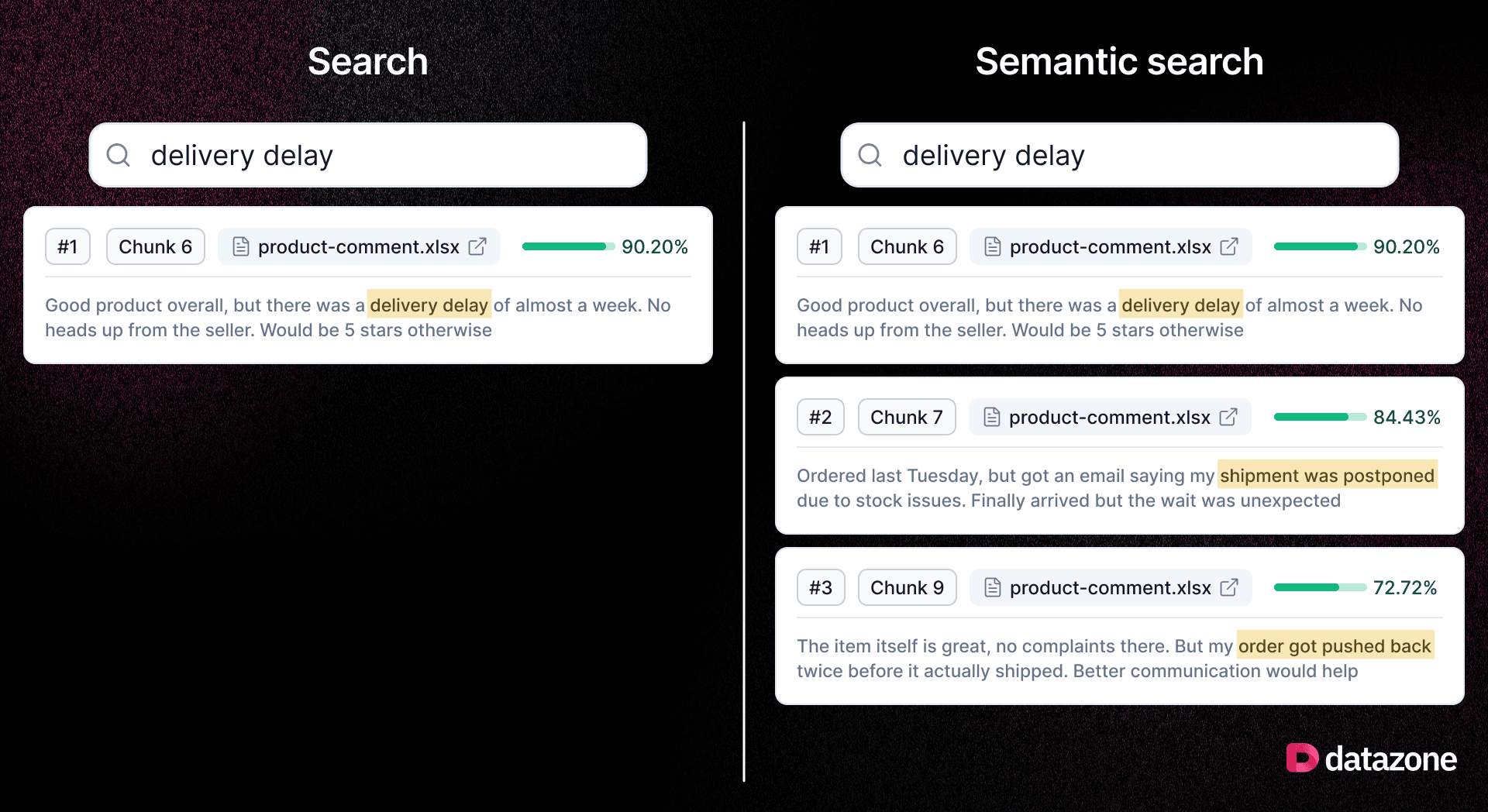
When you search for "delivery delay," keyword search finds documents that contain exactly those words. That's it. It misses "shipment postponed," "order pushed back," "couldn't fulfill on time," same meaning, different words.
Vectors solve this. Instead of matching words, they understand meaning. Your text gets converted into a numerical representation (an "embedding") that captures what something means, not just what it says. So when you ask a question, you get relevant results, even if they use completely different words.
What we released
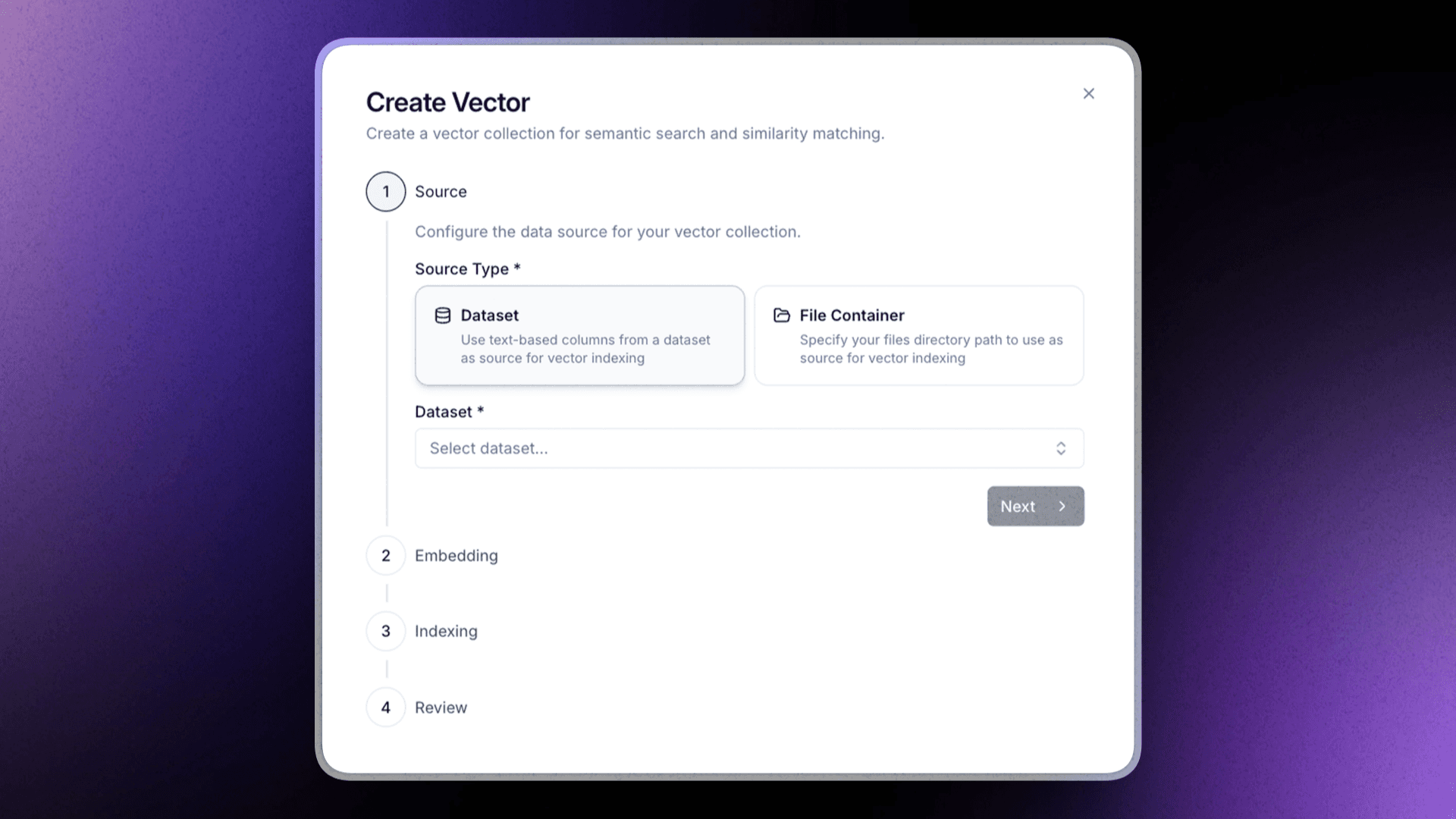
You can now create a Vector Index inside any Datazone project. Point it at a Dataset or a File Container (PDFs, CSVs, Word docs, spreadsheets, all supported). Datazone processes and indexes your content automatically.
Once indexed, three things open up:
- Search in natural language — ask questions against your own data, get ranked results by meaning.
- Smarter Agents — connect a vector index to an Agent so it retrieves actual context from your data before responding, instead of just generating text.
- Similarity Endpoints — expose semantic search as an API for your own apps or downstream systems.
What does this actually look like?
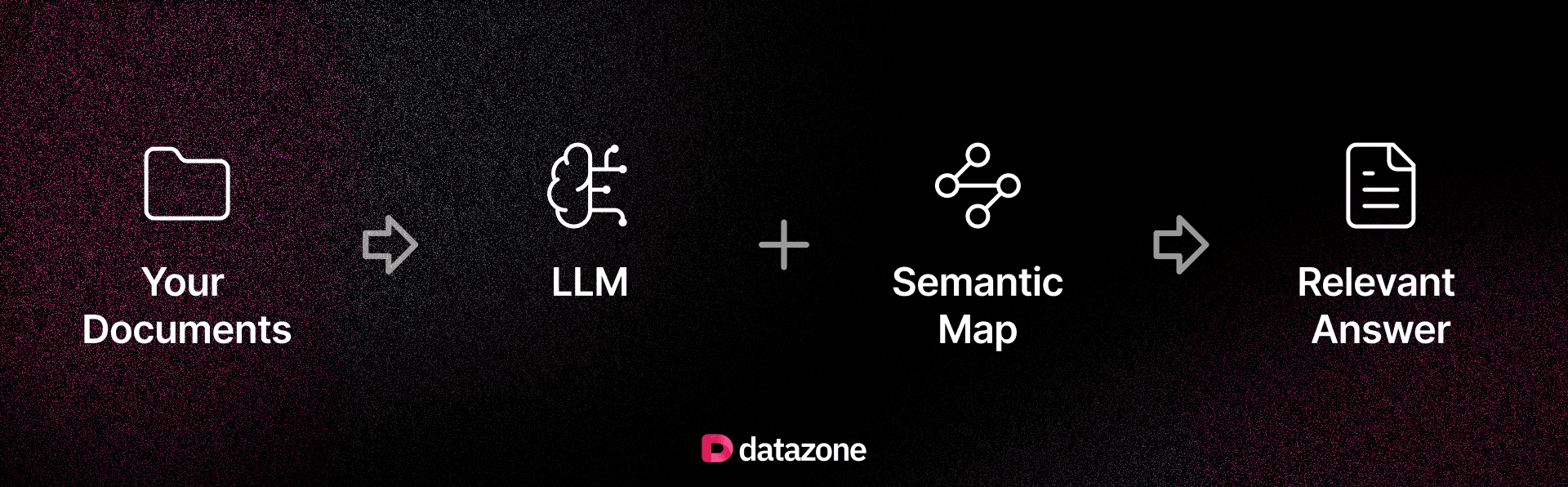
A team uploads 300 contracts. They ask their agent: "Which vendors have automatic renewal clauses expiring this year?" The agent doesn't guess. It searches the index, finds the relevant clauses, and returns exactly what's in the documents, with context and sources.
That's the difference between an AI that generates and one that knows.
Good fit for
- Operations teams with documentation scattered across files.
- Finance teams managing audit trails and contracts.
- Support teams working through large case histories.
- Anyone who's ever ctrl+F'd through 40 PDFs looking for one thing.
Ready to try it? Head to any project, click + Add, and select Vector.

Still chasing data across tools and teams?
Datazone unifies your data workflows — faster, clearer, smarter.
Get Started – It’s Free